Textures do not map perfectly
A GLB may use detailed textures, transparency, or lighting effects that have no direct block equivalent.
Workaround
Simplify the material palette and prioritize the shape or color that matters most.
Format workflow
A glb to litematic free workflow starts with a prepared 3D model, a clear target, and realistic expectations about voxel conversion. Use the guided handoff to begin with your own model.
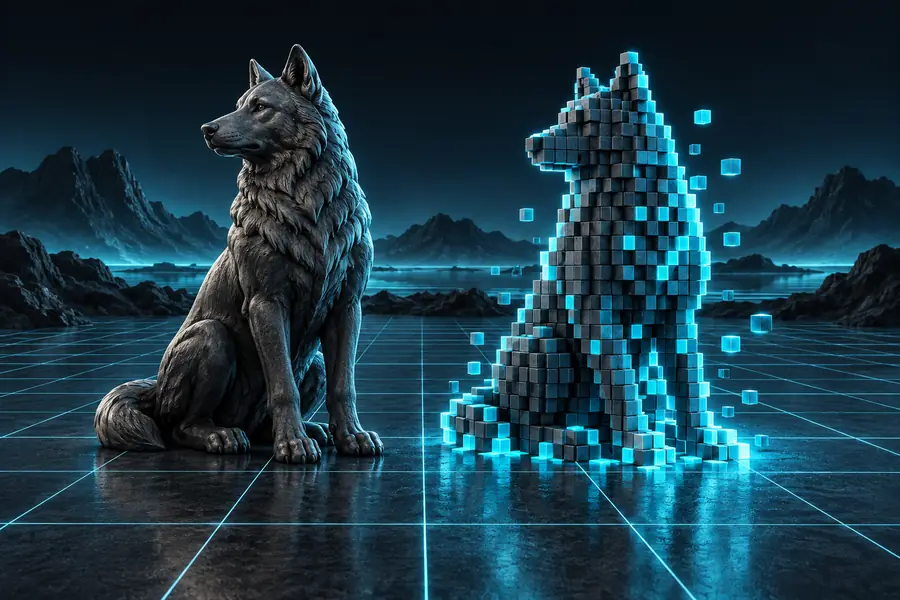
The simplest glb to litematic route is a staged workflow: prepare the source, define the intended build, then review the converted structure before use.
Before starting a glb to litematic free attempt, check the source model and the destination expectations. These requirements prevent most avoidable failures.
Without every one of these the route does not run.
A GLB file that opens correctly in a standard 3D viewer
Broken geometry or missing embedded data can stop the workflow.
A clearly defined front, top, and intended build orientation
Orientation affects how the structure reads after conversion.
A simple material and texture setup
Complex shaders rarely translate directly into block choices.
Enough available space for the generated Minecraft structure
Large models may need scaling or simplification.
Skip any of these and the route still works — they only make it faster.
A reference image or short description of the desired block style
This helps guide choices when the source has ambiguous materials.
This comparison shows where a glb to litematic workflow is strong and where manual review remains important.
Primary role
Prepared GLB source
Carries mesh, material, and scene information
Litematic-ready result
Represents a Minecraft structure for placement
Geometry
Prepared GLB source
Smooth polygon surfaces
Litematic-ready result
Discrete block-based forms
Materials
Prepared GLB source
May contain textures, colors, and shaders
Litematic-ready result
Must be interpreted as block or palette choices
Scale
Prepared GLB source
Uses scene or model units
Litematic-ready result
Uses Minecraft block proportions
Orientation
Prepared GLB source
May follow an artist or export coordinate system
Litematic-ready result
Needs to match the intended in-game direction
Review need
Prepared GLB source
Can be inspected as a 3D asset
Litematic-ready result
Should be checked for gaps, noise, and awkward details
Best use
Prepared GLB source
Starting point for conversion
Litematic-ready result
Placement, editing, or sharing inside a Minecraft workflow
These are practical checkpoints rather than promises of instant output. They help frame a glb to litematic free conversion as a reviewable process.
A glb to litematic free workflow can reduce manual rebuilding, but it cannot make every source model behave like a finished Minecraft structure.
A GLB may use detailed textures, transparency, or lighting effects that have no direct block equivalent.
Workaround
Simplify the material palette and prioritize the shape or color that matters most.
Trees, fabric, thin rails, and curved surfaces may turn into irregular or fragile block patterns.
Workaround
Reduce detail, increase the model scale, or replace delicate parts with deliberate block shapes.
A model that looks correctly sized in a 3D viewer may be too small or too large in Minecraft.
Workaround
Choose a recognizable reference dimension, such as a doorway or floor height, before conversion.
Voxelized geometry can contain gaps, floating pieces, or unexpected orientation changes.
Workaround
Review the structure in sections and correct the most visible issues before final placement.
Follow this short sequence to keep a glb to litematic conversion predictable and easier to troubleshoot.
Open the source, confirm that the geometry is visible, and remove unnecessary scene elements or hidden objects.
Describe the structure, choose a useful scale, and decide whether silhouette, color, or interior detail has priority.
Inspect the converted build for orientation, gaps, block noise, and overall fit before treating it as final.
Use this planning slider to estimate how a change in model detail could affect review effort. It is a sizing aid, not a guaranteed processing-time promise.
passes
checks
Bring a prepared model and a clear build goal into the guided Minecraft workspace. The glb to litematic free route works best when you treat the first result as a reviewable draft, not an untouched final.
Convert my modelAnswers to common questions about the glb to litematic free search and workflow.
A free-start workflow may help you test the path from a GLB model toward a Minecraft structure, but the exact available features depend on the destination workspace. Prepare a small, simple model first so you can evaluate the result before committing to a larger build.
Use a GLB that opens correctly and has visible geometry, sensible scale, and a manageable material setup. A short description of the intended Minecraft structure also helps clarify which details should receive priority.
No. Smooth, transparent, highly textured, or very thin geometry may need simplification before it becomes a useful block structure. Treat the first conversion as a draft and inspect its scale, orientation, and block detail.
Not necessarily. Minecraft blocks provide a discrete palette, so detailed textures, shaders, and lighting effects usually need to be interpreted rather than copied exactly. Simplifying the source materials can produce a more coherent result.
The main limitation is the difference between smooth 3D geometry and block-based construction. The workflow can reduce repetitive rebuilding, but it cannot replace decisions about scale, palette, detail level, and final placement.